

The Investment API uses opaque access tokens obtained using the OAuth 2.0 Client Credentials flow.
During the onboarding process, each client receives a client ID, a client secret, and a key ID which are required to request access tokens via our OAuth2 endpoints.
All endpoints in the Upvest API are protected through authentication. This means you must authenticate before you call the API.
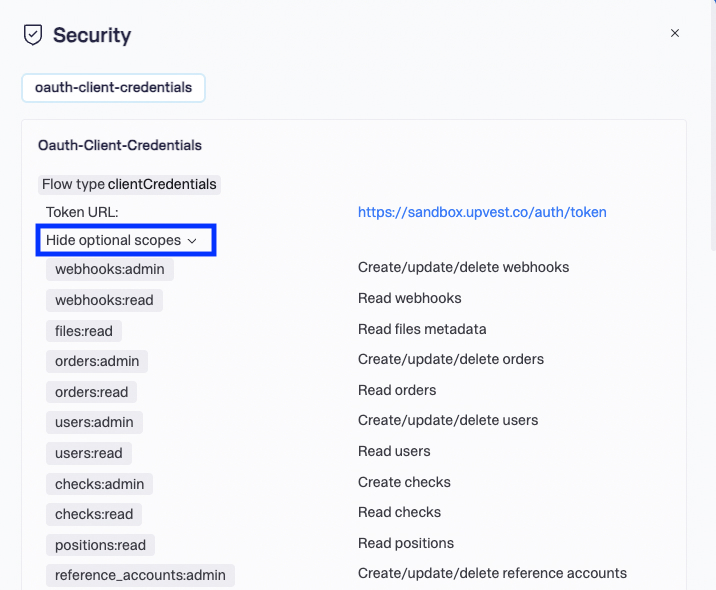
The Upvest Investment API supports granular authentication scopes, thus improving security. You can restrict the permissions and data access that is requested during fetching of the authentication token by specifying the scopes.
You can add only scopes that Upvest has configured for your client. Upvest provides a complete list of your initially configured scopes when sending your API credentials.
You must ensure that your token has the required scopes for your API requests. You can find the required scopes specified in the security details of the API request in the API reference of our documentation.
Simply press the View security details in the Security section in the specific endpoint.
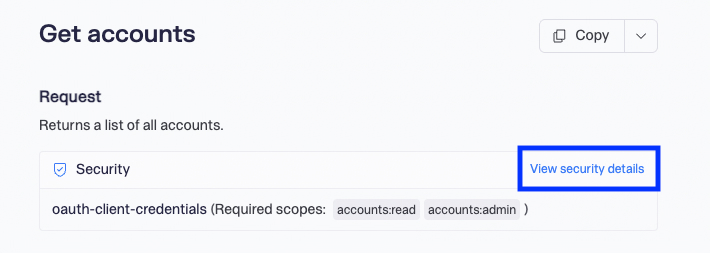
The Security window appears and shows the required scopes for the endpoint.
If you are missing scopes on the client, you will receive an error response with status 401 when creating the token. You must reach out to the Upvest team for further clarification or to update your configuration.
New functionalities and features may require new scopes. Refer to the API reference for details on the required scope for the endpoint.
If you are missing scopes on the token, you'll get an error response with status 403 on the request. To fix this error you must ensure to add the required scopes to the token while fetching it.
The following table lists available scopes:
| Scope | Permissions |
|---|---|
| Account Management | |
accounts:read | Read accounts and accounts groups. |
accounts:admin | Create/update/delete accounts and accounts groups. |
| Instruments and Prices | |
instruments:read | Read instruments. |
prices:read | Read instrument prices including latest price and OHLC prices. |
| Orders | |
orders:admin | Create/update/delete orders. |
orders:read | Read orders. |
| Reporting | |
files:read | Read files metadata. |
reports:admin | Create reports. |
reports:read | Read reports. |
transactions:read | Read cash and securities transactions. |
| Security transfers | |
securities_transfers:admin | Create and read securities transfers. |
securities_transfers:read | Read securities transfers. |
| Webhooks | |
webhooks:admin | Create/update/delete webhooks. |
webhooks:read | Read webhooks. |
| Tests | |
tests:admin | Trigger a bank transaction for testing purposes. |
Request an accounts:read access token to read account data but not be able to change user data. Then request an accounts:admin access token to be able to create new accounts.
More on available permissions see here.
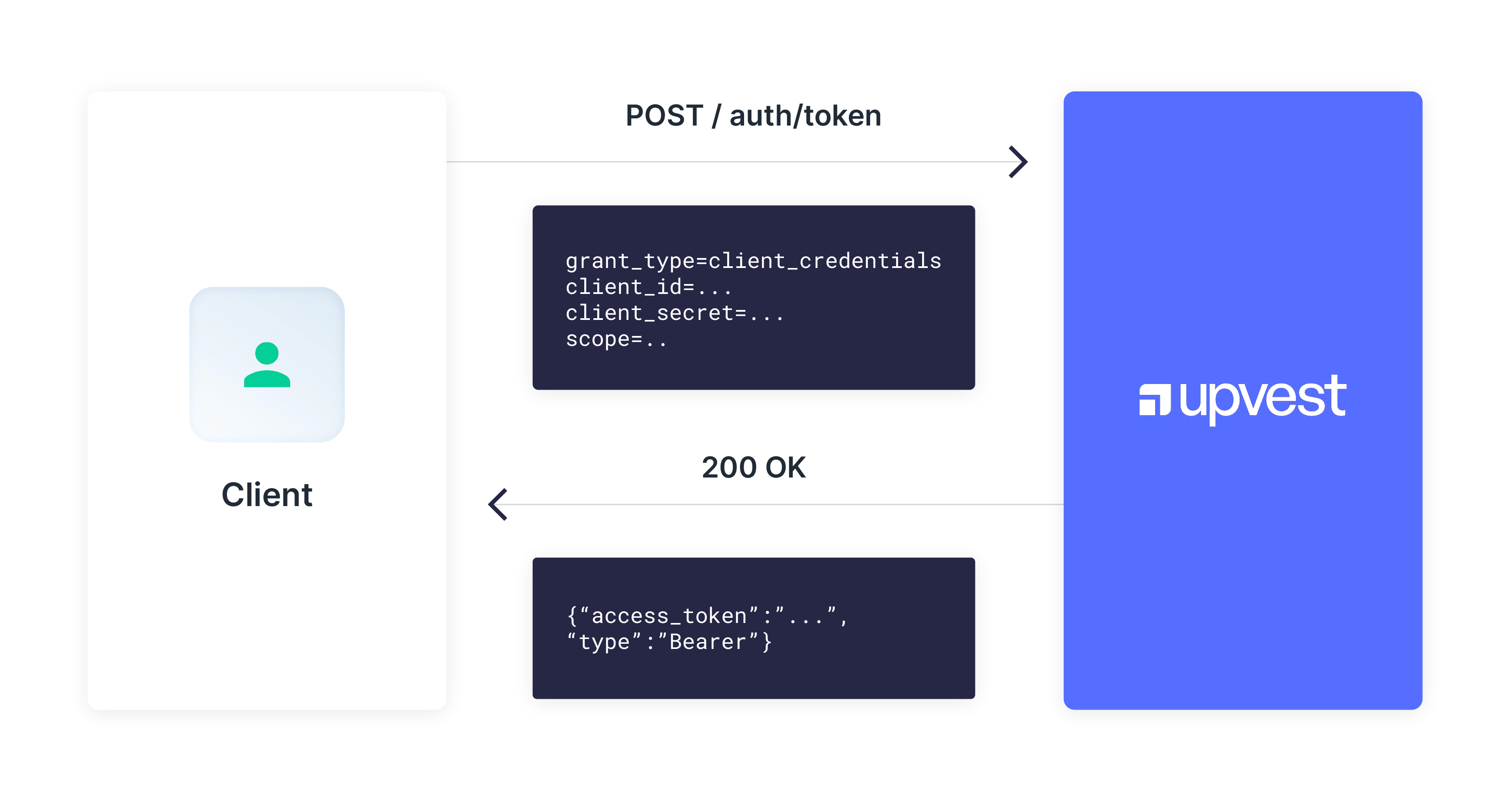
Once the access token is returned, the token can be used in all requests for the specific required scopes using the standard authorization header as shown below:
Authorization: Bearer <access_token>The use of client_credentials alone allows us to identify you and authorise your request. However, it does not protect against a man-in-the-middle attack, where the request can be maliciously modified. To mitigate this risk, there is an additional layer of public key infrastructure in the form of HTTP message signatures.